😃Getting Started with Jenkins .
👨💻 Last-year student diving deep into DevOps, Cloud Engineering, and Infrastructure Automation. Passionate about building scalable, efficient, and secure systems. Let’s connect and build something amazing! 🚀
Jenkins is an open-source automation server written in Java that helps automate the process of building, testing, and deploying software. It’s a core key tool in the DevOps toolkit!
What is Jenkins and Why Use It? 🤔
Automation at Its Best:
Jenkins automates repetitive tasks like building, testing, and deploying code, saving you time and reducing human errors.Seamless Integration:
With a wide range of plugins, Jenkins easily integrates with tools like Git, Docker, and more—making it an essential part of the DevOps lifecycle.Continuous Improvement:
By running tests and deployments automatically, Jenkins helps ensure that new code changes are safe and production-ready at all times.
🛠️Creating a Simple Freestyle Pipeline with Jenkinsfile
Steps to Create the Pipeline:
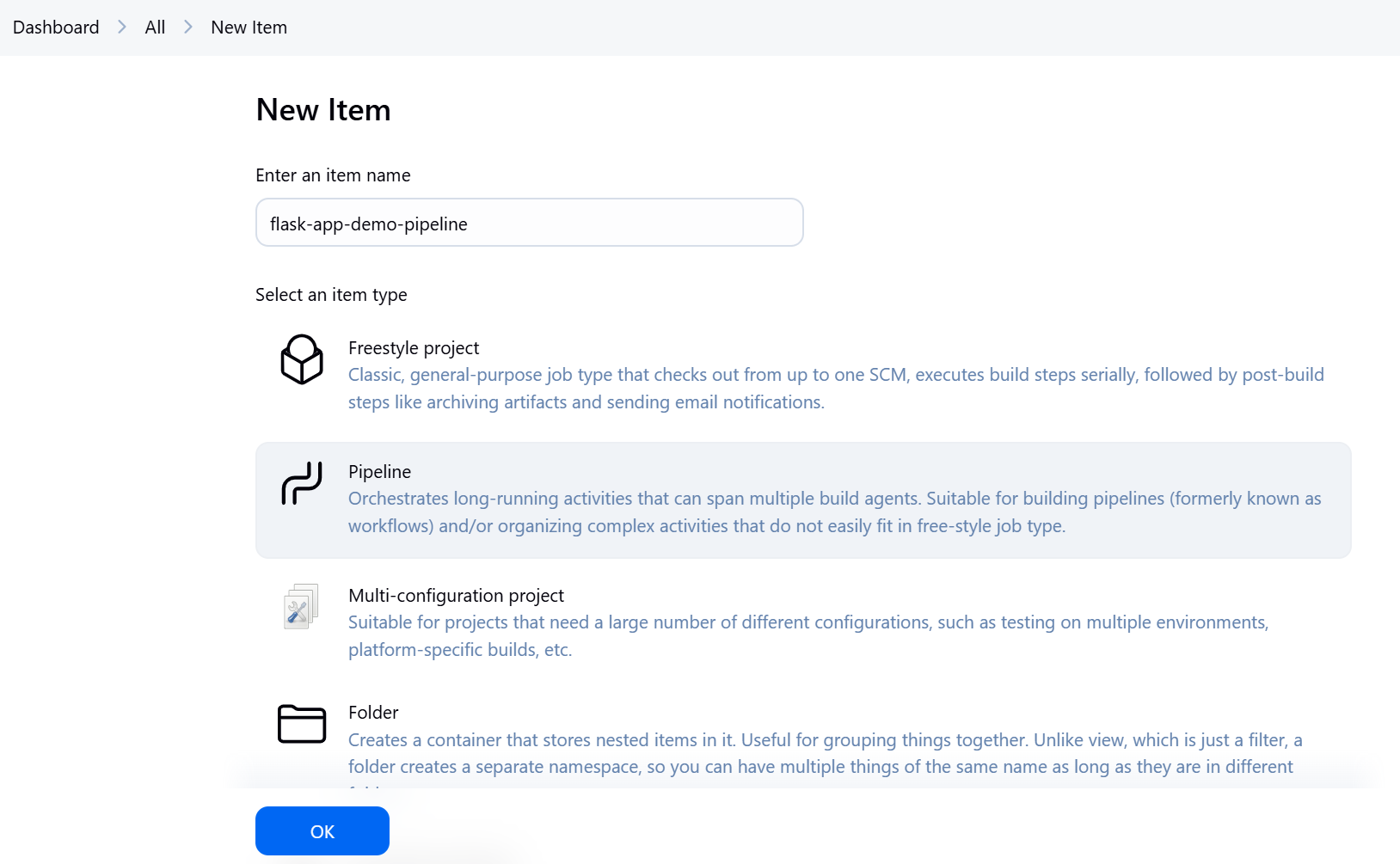
Set Up Your Job:
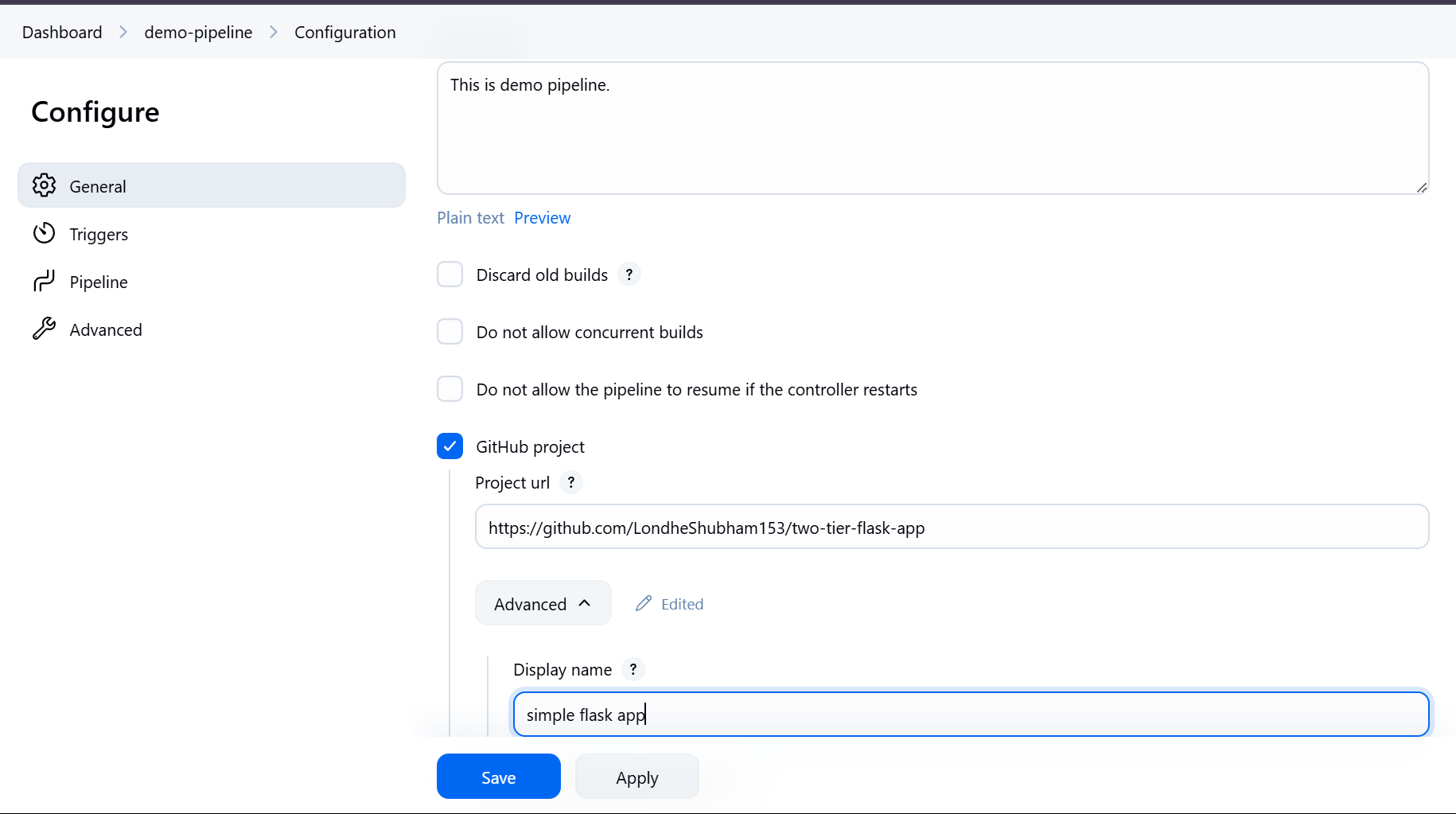
Create a new Freestyle project in Jenkins.
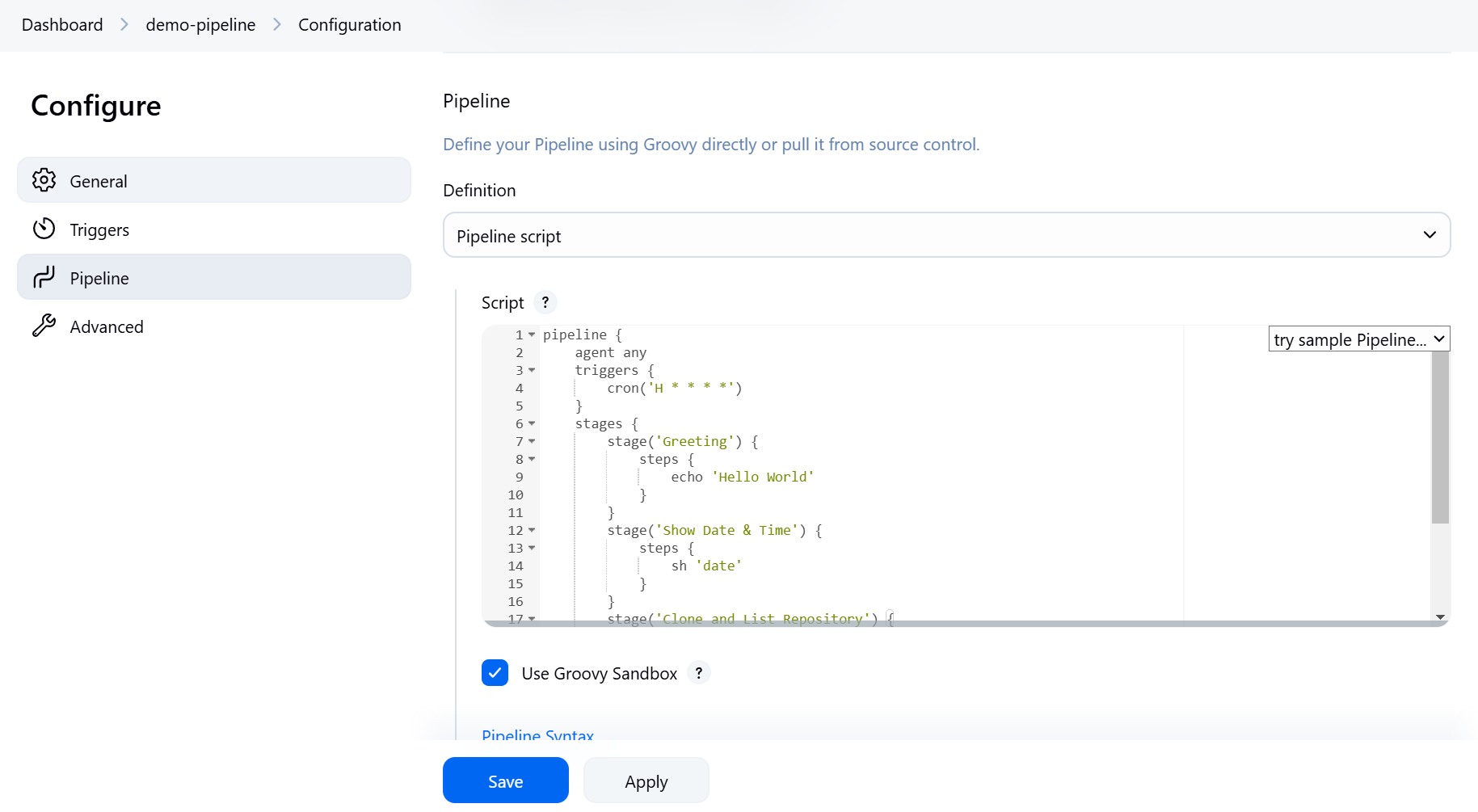
Configure it to use a Jenkinsfile from your source control.
Define Pipeline Tasks:
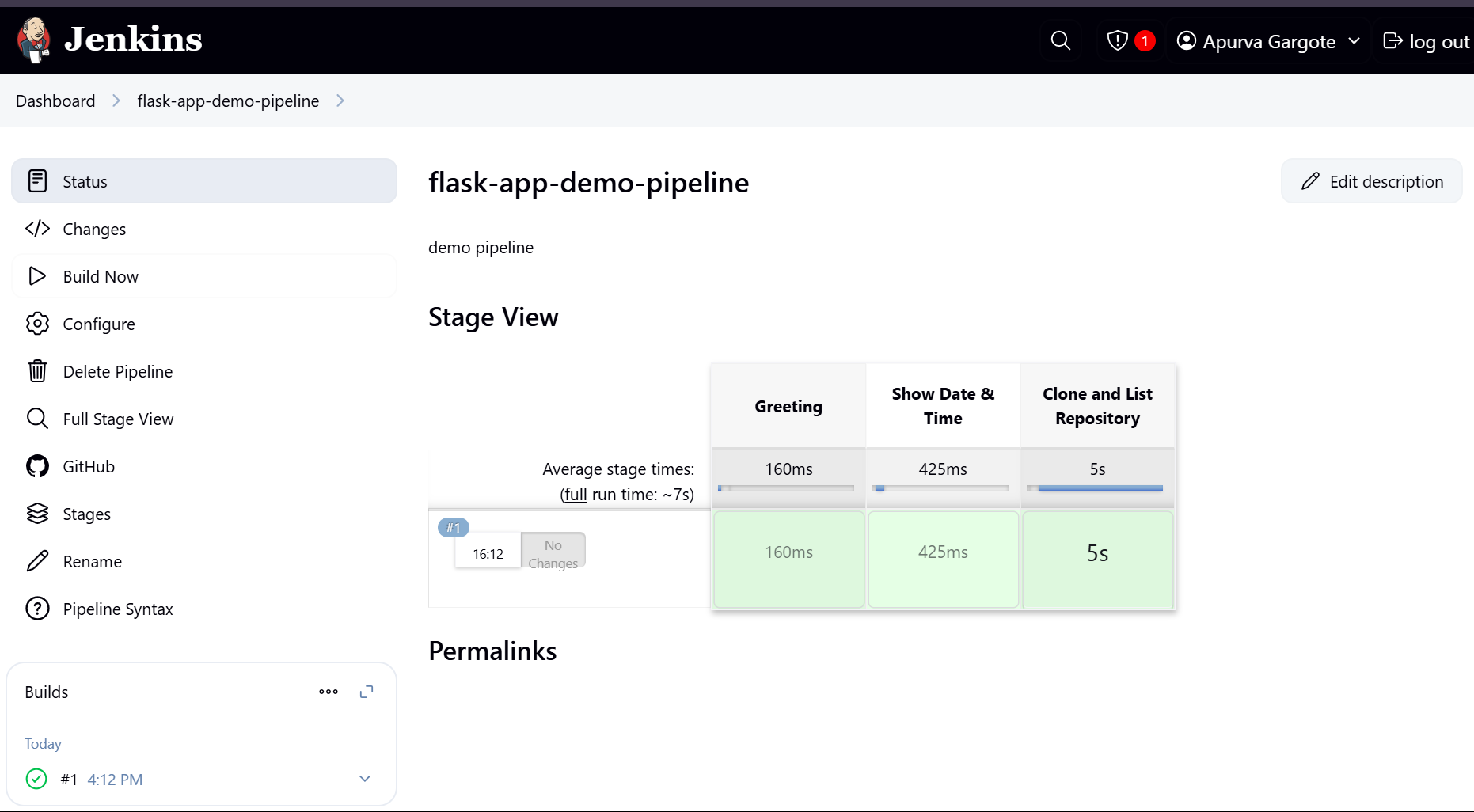
Greeting: Print a welcoming "Hello World".
Date & Time: Show the current date and time.
Clone Repository: Pull a GitHub repository and list its files.
Schedule Execution: Set the job to run periodically (e.g., every hour).
Write the Jenkinsfile:
Save the following Jenkinsfile in the root of your project repository.
Jenkinsfile Example
pipeline {
    agent any

    // Schedule the pipeline to run every hour
    triggers {
        cron('H * * * *')
    }

    stages {
        stage('Greeting') {
            steps {
                // Print "Hello World"
                echo 'Hello World'
            }
        }
        stage('Show Date & Time') {
            steps {
                // Display current date and time
                sh 'date'
            }
        }
        stage('Clone and List Repository') {
            steps {
                // Clone the GitHub repository (replace URL with your repo)
                sh 'git clone https://github.com/your-repository-url.git'
                // List contents of the cloned repository (update folder name if needed)
                sh 'ls -la your-repository-folder'
            }
        }
    }
}
How It Works 🌟
Agent any:
The pipeline runs on any available Jenkins agent.Triggers:
The cron syntax (H * * * *) schedules the pipeline to run every hour automatically.Stages:
Greeting: Uses
echoto print "Hello World".Show Date & Time: Executes the
datecommand to display the current date and time.Clone and List Repository:
Clones your specified GitHub repository.
Lists all files in the repository directory.
Demo:
Happy automating! 😃👍